'Download' the Firmware
Final Update: This is the final Software Update for the Dish TV A2. It has been developed to address the issues introduced by the Satellite changes on 3 June 2026.
While this update significantly improves the situation, it does not completely eliminate the issue for all Satellite Tuners. Unfortunately, due to a hardware limitation on the Dish TV A2, the remaining issue cannot be fully addressed through a Software Update.
DOWNLOAD A2 Firmware V1.53 (Zip File)
NOTE: If you're having issues downloading the Firmware from the Website, try right-click and "Save Target As" or try another Internet Browser.
How to 'Update' the Firmware
Step 1: Download the Zip File
Please download the Zip File linked above, and follow the instructions below to update your A2.
Once downloaded, copy (DON'T EXTRACT) the Zip File directly onto a USB Flash Drive.
Insert the USB Flash Drive into the USB Port on the Back of the A2.
Step 2: Open the Android TV Settings
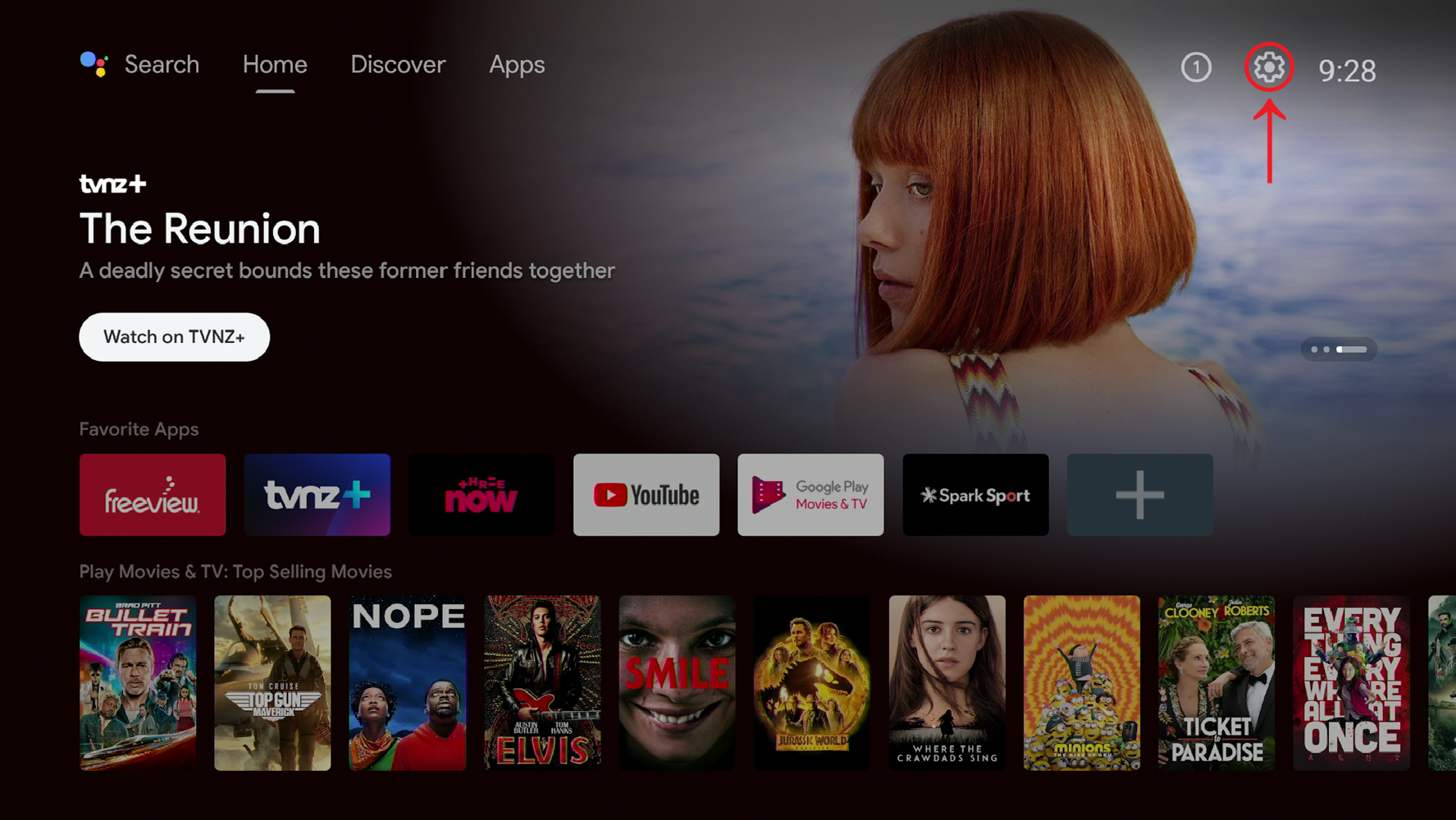
Press the HOME "O" button on the Remote Control.
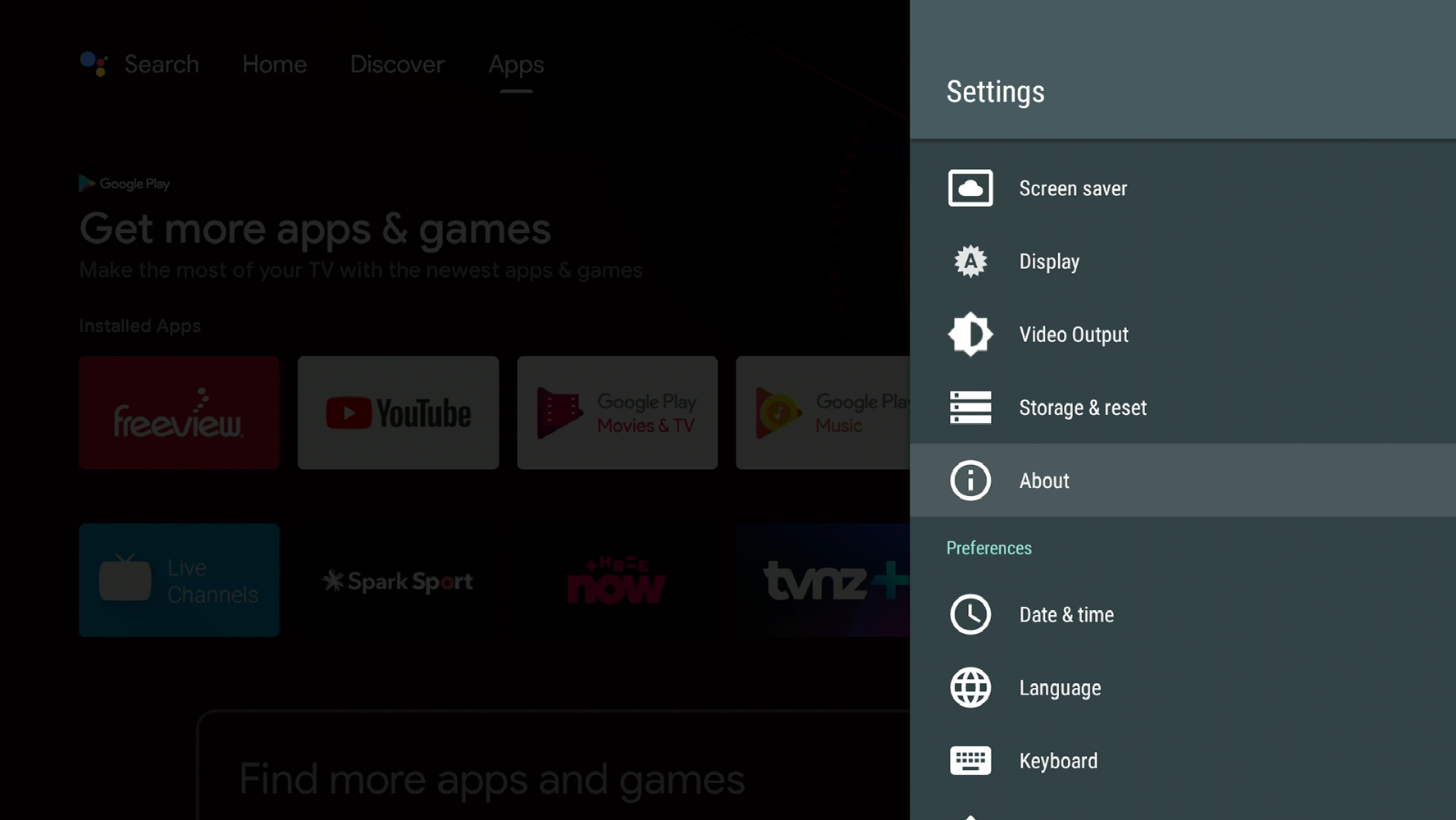
Select Settings (COG in top-right) → About.
Use the ◀ ▶ ▼ ▲ buttons on the Remote to navigate the Home Screen.
Step 3: Update the Firmware
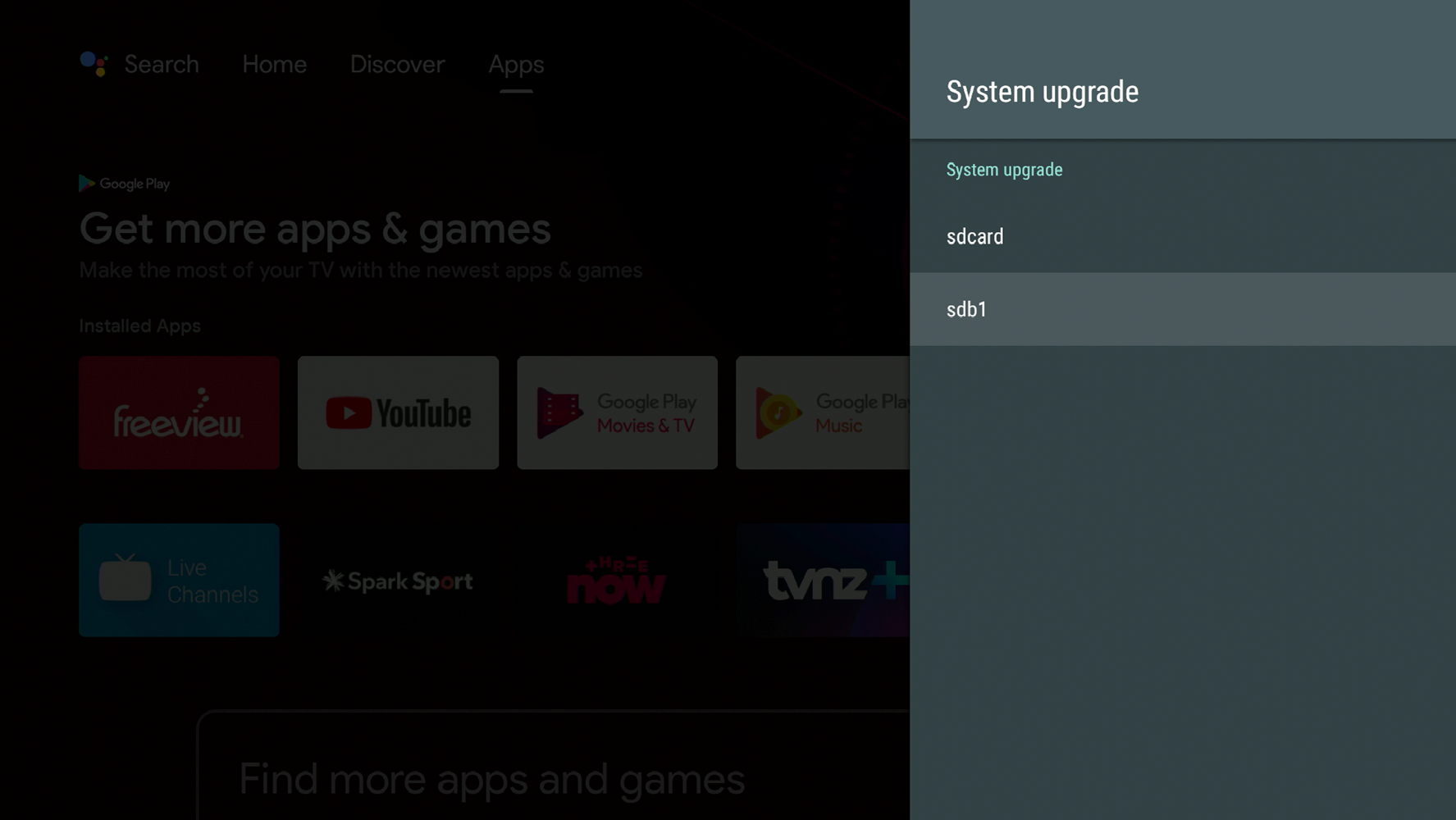
Select Local Update → sdb1, press OK.
You will see a message on-screen "Copying update.zip..." this can take 2-3 Minutes.
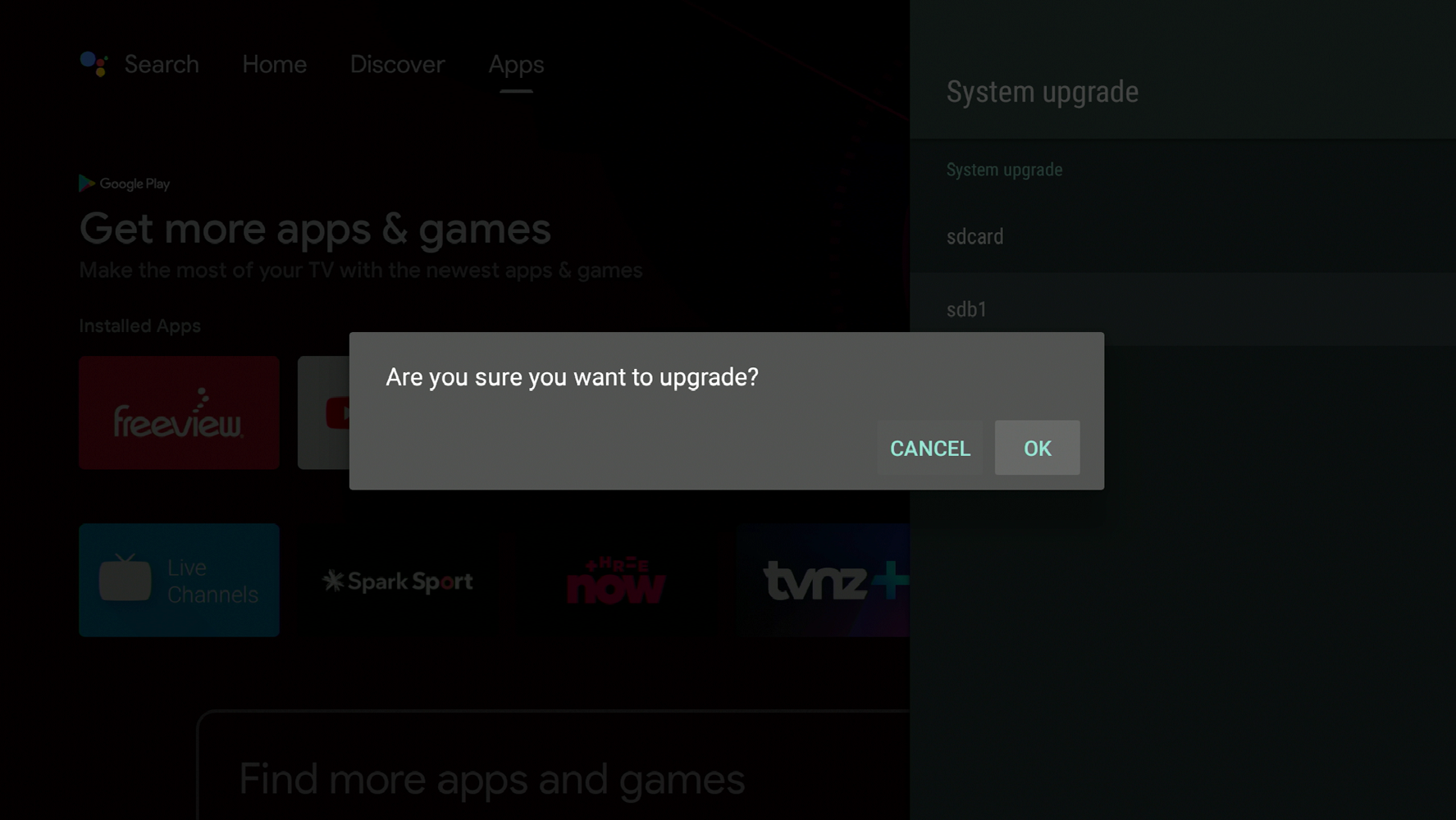
Select OK, when prompted "Are you sure you want to upgrade?"
Step 4: Update Complete
The A2 will reboot and install the Firmware.
Once the Firmware Update has completed, the A2 will reboot, and return to Live TV.
Remove the USB Flash Drive.
NOTE: Connected USB Devices are most often named "sdb1" by the A2. But if you don't find "sdb1" under Local Update, check for variations such as "sda1" and "sda".